From our homepage to an agent-ready brief
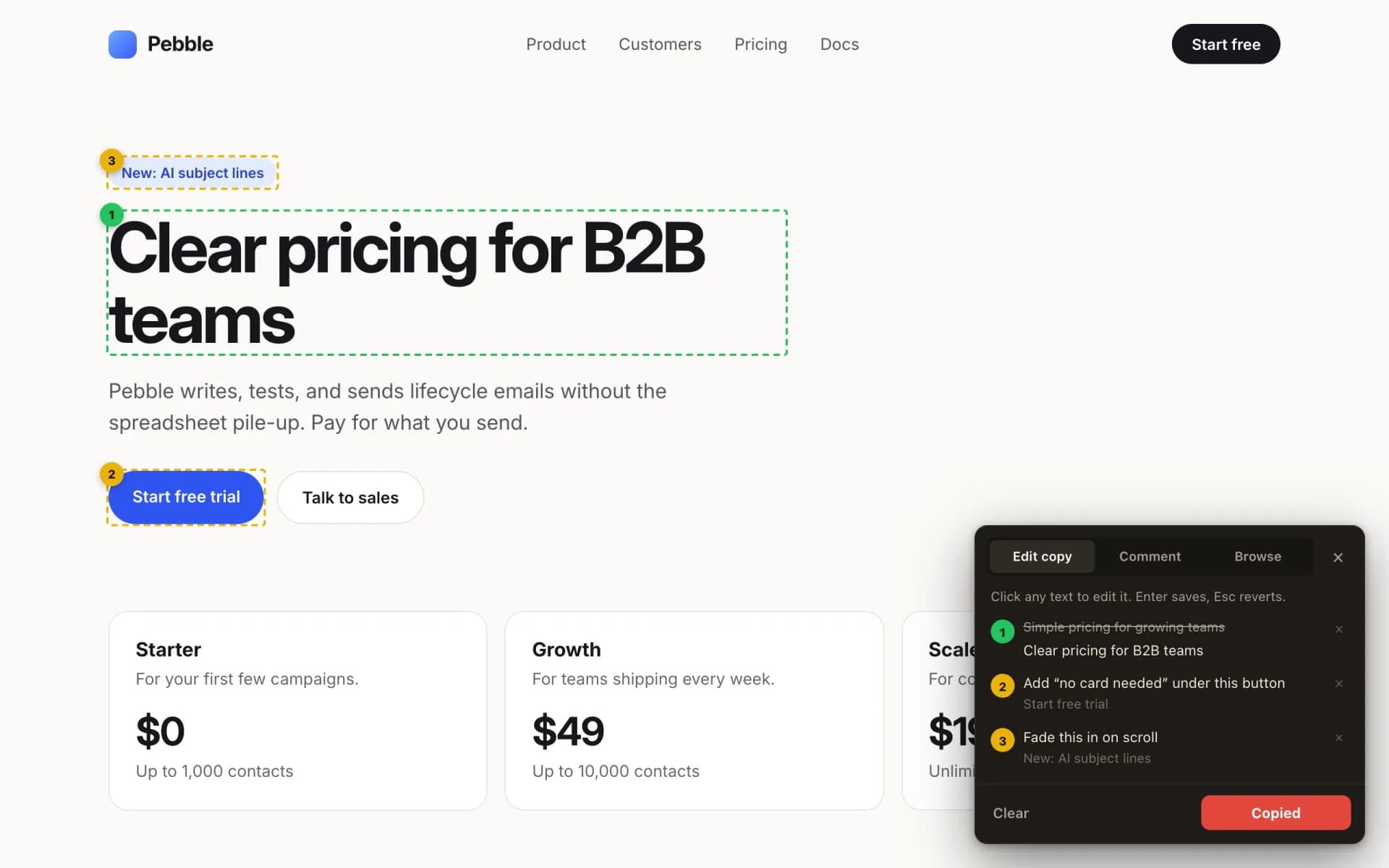
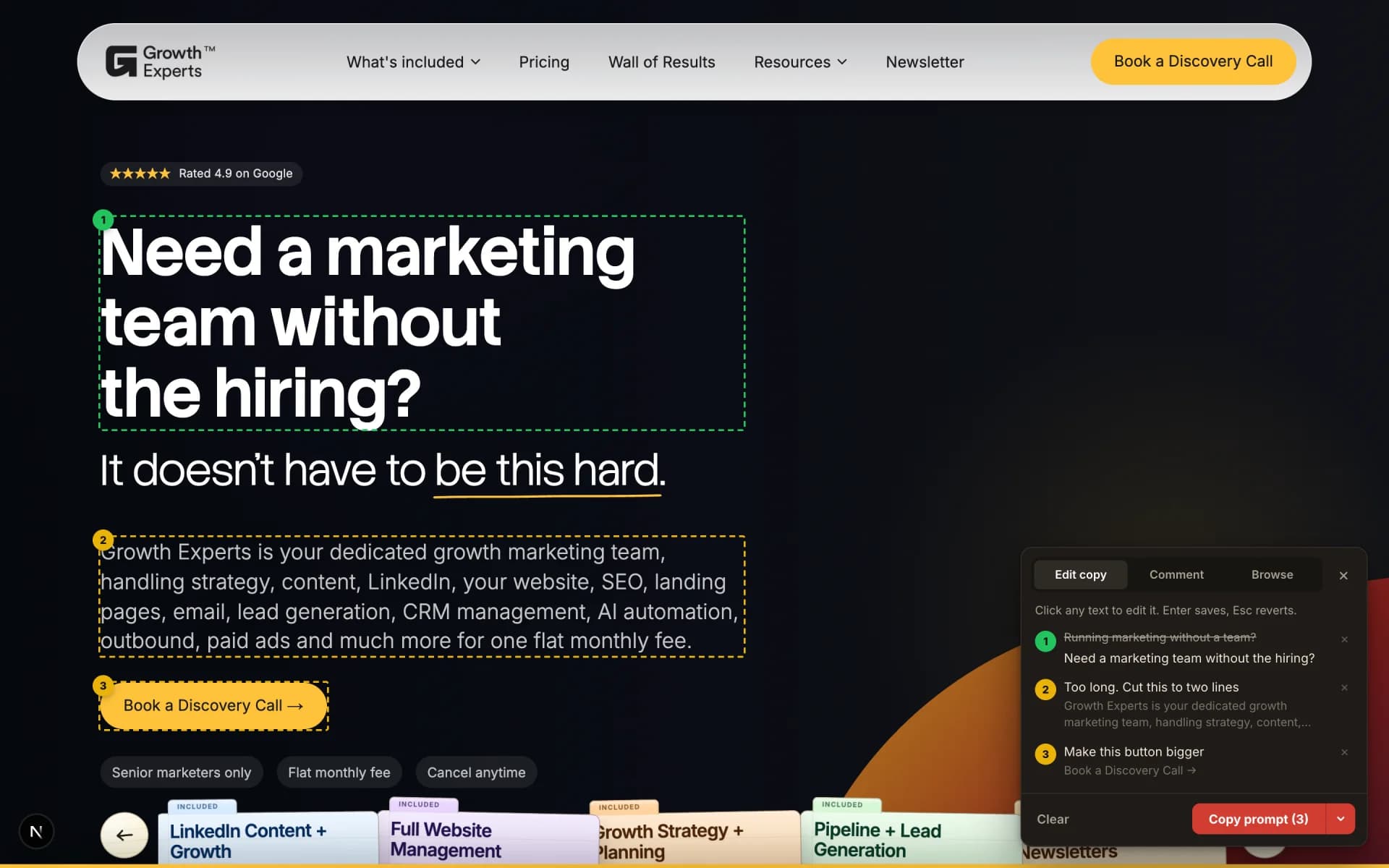
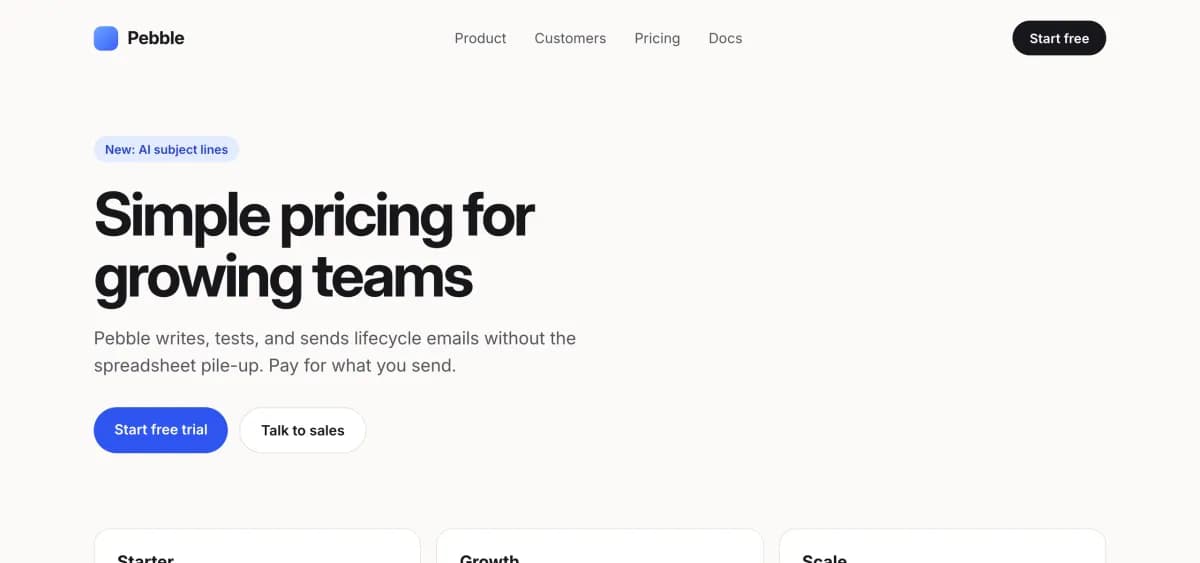
Here it is on growthexperts.co. A new headline and two notes, outlined on the page and listed in the panel, ready to copy.

A free Chrome extension
Rewrite the copy on any live website, leave notes on the rest, then copy one prompt and let your AI agent do the rest.
How it works
Turn Handoff on, change what bugs you, and copy a brief your AI agent can act on straight away.
Here it is on growthexperts.co. A new headline and two notes, outlined on the page and listed in the panel, ready to copy.
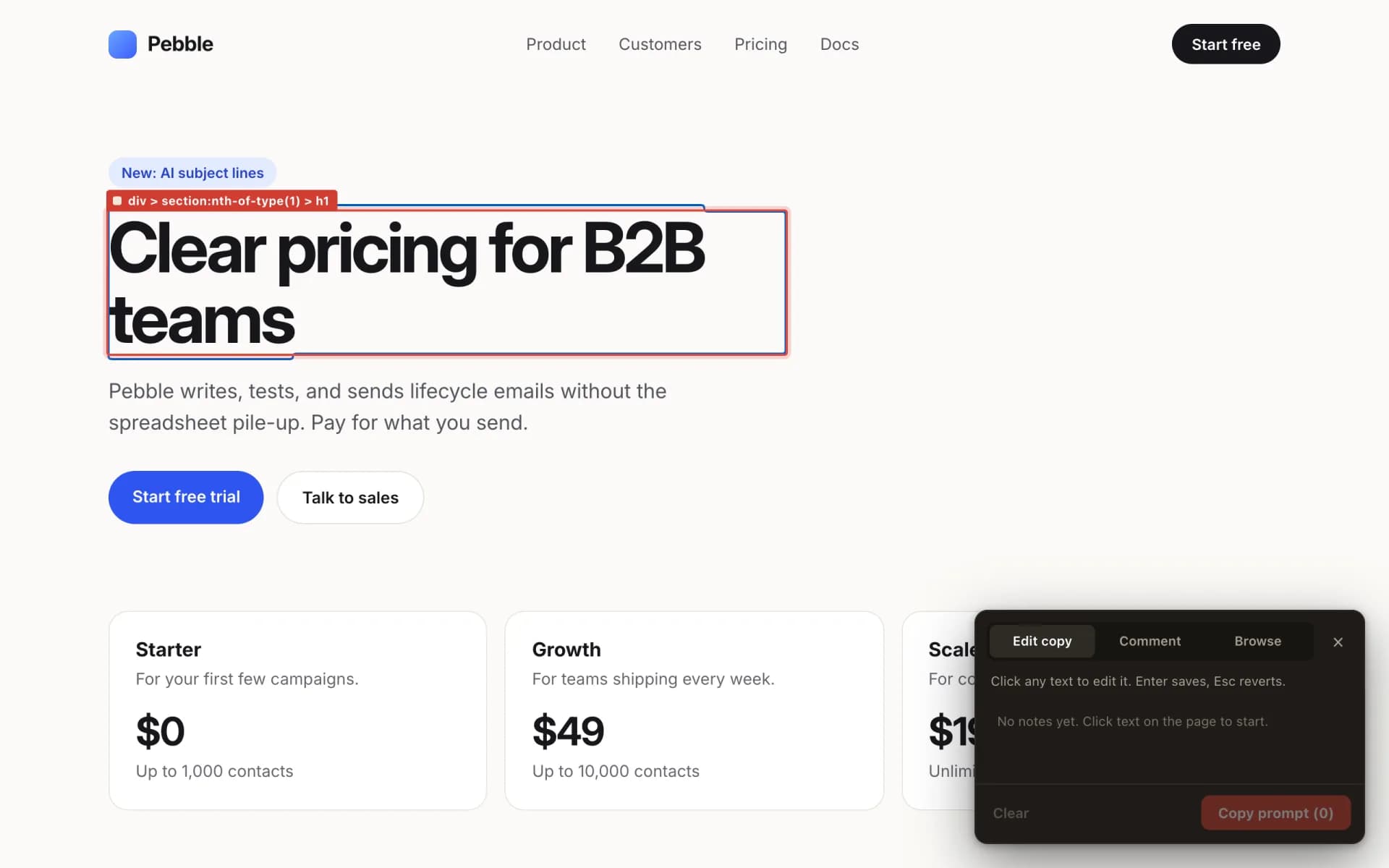
Type straight onto the live page. Enter saves, Esc puts it back.
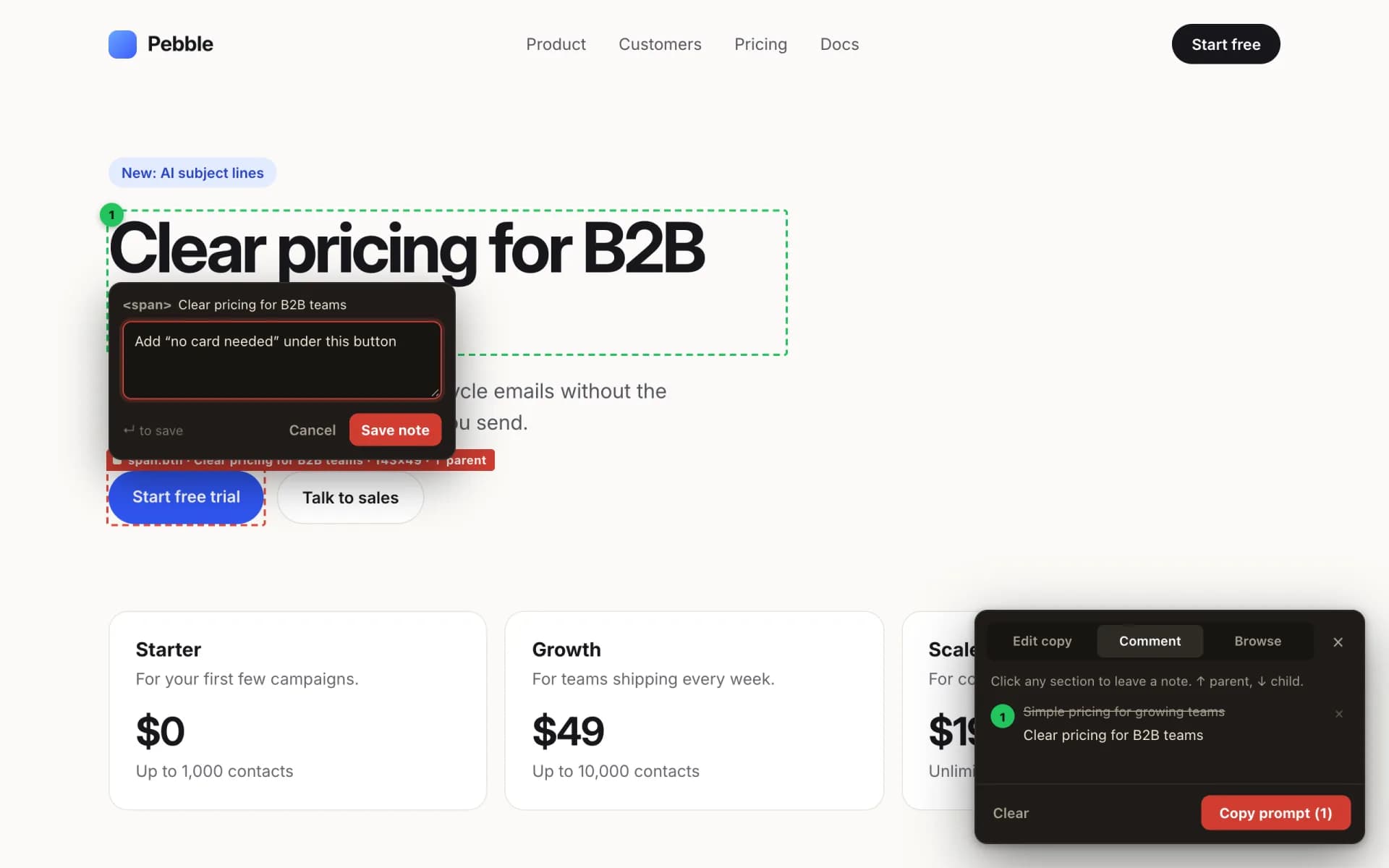
Buttons, images, whole sections. Press ↑ or ↓ to jump to the parent or child.
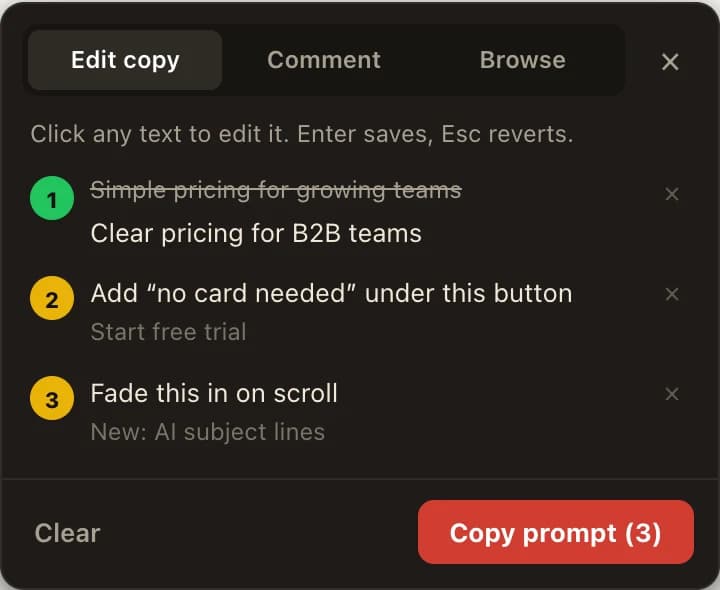
Old text crossed out, new text underneath, every note numbered to match the page.
One click turns the whole list into markdown. Paste it into Cursor, Claude Code or whatever you use.
Handoff gives your AI agent or dev team the exact changes to make.
 screenshot-final-v3.png
Works with your AI agent
Copy prompt writes a proper brief: the page, the element, its selector, the old text, the new text, and your notes. It's plain markdown, so it works with whatever you use to ship code.
 Cursor
 Claude Code
 Codex
Codex Gemini CLI
 VS Code
# Copy edits from Handoff
Find these strings in the codebase for the page below and apply the changes exactly. Treat comments as requests, not as finished copy. Do not invent extra wording. Keep surrounding layout and code structure unless a comment asks otherwise.
## Page
- Title: Pricing | Pebble
- URL: https://yoursite.com/pricing
## Changes
### 1. Edit
- Element: `h1`
- Selector: `section.hero h1`
- Original: "Simple pricing for growing teams"
- Updated: "Clear pricing for B2B teams"
### 2. Comment
- Element: `a`
- Selector: `section.hero .btn-primary`
- Nearest heading: "Clear pricing for B2B teams"
- Content summary: "Start free trial"
- Note: "Add “no card needed” under this button"
### 3. Comment
- Element: `span`
- Selector: `section.hero .badge`
- Content summary: "New: AI subject lines"
- Note: "Fade this in on scroll"Turn it on and off without touching the mouse. Change the shortcut in Chrome any time.
Green for edits, yellow for notes, numbered to match the list.
Click links and open menus without switching Handoff off.
Close the tab. Your notes are still there tomorrow.
No account, no tracking, no server. It only runs on the tab you switch it on in.
No paid plan and nothing to unlock. Install it and go.
Who it's for
Fix everything that bugs you on Sunday. Hand it over on Monday.
Rewrite headlines on the real page, not in a Google Doc.
Mark up the client's live site and send a brief nobody can misread.
Get feedback you can paste straight into Cursor.
FAQs
Short answers to the questions we get most.
Yes. No account, no paid plan, nothing to unlock.
Chrome, Edge, Brave, Arc, and other Chromium browsers that install from the Chrome Web Store. Not Safari or Firefox, and not on phones, because mobile Chrome doesn't run extensions.
Nope. Your edits only live in your browser. Nothing changes for anyone else until your agent updates the code and you deploy it.
None. No analytics, no tracking, no server. The privacy policy has the details if you like reading those.
The page title and URL, then each change with its element, selector, original text, new text, and your notes. It tells your agent to treat notes as requests, not finished copy.
Most of them. It runs on normal web pages. Chrome doesn't let extensions touch its own pages (like chrome:// or the Web Store), and Handoff skips anything inside an iframe.
Your list of edits and notes is still there, saved for that URL. Plain text edits show up on the page again too. Edits to lines with links or bold text stay in the list and the prompt, but won't redraw on the page after a reload.
activeTab, scripting, and storage, plus a keyboard shortcut. That's enough to open the editor on the tab you choose and save your work locally. No host permissions, so it can't read other sites.
Yes. It's Option+Shift+E on a Mac and Alt+Shift+E on Windows by default. Change it at chrome://extensions/shortcuts.
Want help with the systems behind your site too? See our CRM and marketing automation services.
Install it, open your website, and fix the things you've been meaning to change for months.
Works in Chrome, Edge, Brave, Arc, and other Chromium browsers.
Privacy policy